
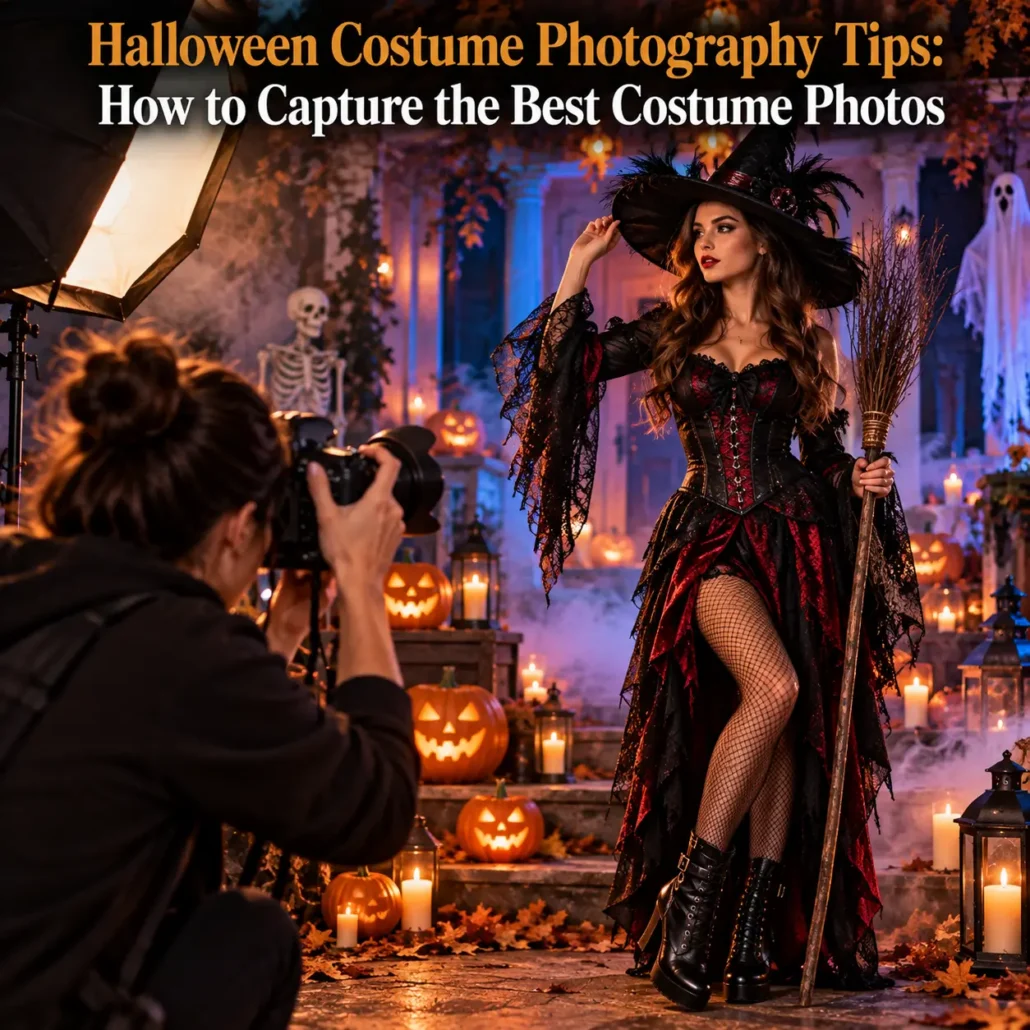
Halloween Costume Photography Tips: How to Capture the Best Costume Photos
A great costume deserves more than a quick phone snapshot. With the right lighting, background, framing, and camera settings, Halloween costume photography can capture the makeup, textures, accessories, and character of a costume without losing the atmosphere that makes Halloween memorable.
The key to how to photograph Halloween costumes is simple: light the person without flattening the costume. Start with a full-body shot to capture the silhouette, then move closer to highlight the details that make the look distinctive.
Whether you are photographing one carefully styled costume or an entire group, a little preparation can make your Halloween costume photography sharper, more atmospheric, and much more memorable.
Choose Lighting That Shows the Costume
Nighttime can make Halloween costume photography challenging, particularly when costumes include dark fabrics, face makeup, masks, or small accessories. Your camera needs enough light to separate the subject from the background without making the scene look artificially bright.
For useful costume photo lighting tips, try:
- Place a soft light slightly to one side of the subject.
- Use nearby practical lights, such as lanterns or decorative lighting, for atmosphere.
- Avoid placing a strong light directly behind the subject.
- Keep colored lighting subtle enough that it does not distort makeup or costume colors.
- Use a reflector or nearby light source to brighten deep shadows.
A little contrast can make Halloween costume photography more dramatic. The goal is not to eliminate every shadow, but to keep important costume details visible.
How to Photograph Halloween Costumes Clearly
Knowing how to photograph Halloween costumes means paying attention to what makes the costume worth photographing in the first place.
Start with a full-body image to capture the silhouette. Then take medium shots and close-ups of masks, makeup, jewelry, props, stitching, textures, wigs, and other distinctive details.
For small details, move closer rather than relying entirely on digital zoom. Tap your phone screen on the feature you want in focus, keep the camera steady, and make sure the subject is properly illuminated.
This approach gives Halloween costume photography more variety and prevents every image from looking like the same standard portrait.
Build a Background That Supports the Costume
The background should establish the Halloween setting without competing with the costume. This is especially important when photographing Halloween costumes that include elaborate outfits with several accessories or strong visual details.
Good Halloween photo shoot ideas include:
- A decorated porch or entryway.
- A fog-filled walkway.
- A dark garden with controlled lighting.
- An old-looking wall or doorway.
- A Halloween party setting with lights and decorations.
- A simple dark background for a character-focused portrait.
Look for visual separation between the costume and the background. A dark costume against a completely dark wall can disappear, while a busy background can distract from carefully designed details.
Photographing Group Costumes
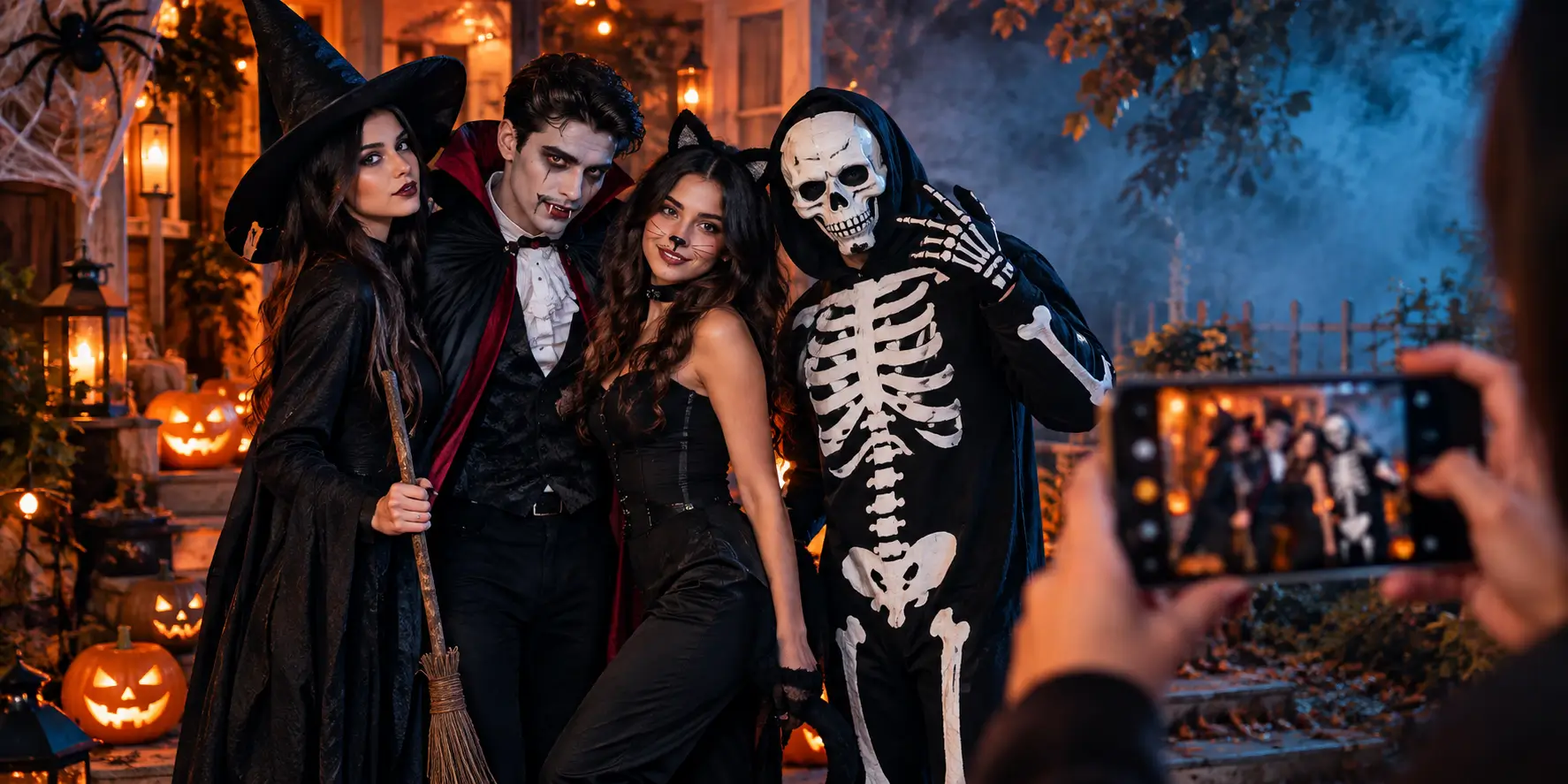
Group Halloween costume photography requires more planning because several people need to look good in the same frame.
Arrange taller people toward the back and avoid placing everyone in a straight line. Create different heights and positions so the image feels intentional rather than crowded.
Before taking the photograph, check that:
- Every face is visible.
- Props are not blocking other people.
- Costumes are fully within the frame.
- Everyone has enough space to move naturally.
- The lighting reaches the entire group.
Take several photographs rather than relying on one shot. Someone will inevitably blink, look away, or move at exactly the wrong moment.
For better Halloween costume photography, review a few frames before moving the group. A second look can reveal blocked faces or costume details that need adjusting.
Phone Camera Settings for Halloween Photos
Modern phones can produce excellent Halloween costume photography results, especially when you control exposure and focus rather than simply pressing the shutter.
For nighttime photographs:
- Use the phone’s Night mode when the subject can remain relatively still.
- Tap to focus on the face or most important costume feature.
- Lower exposure slightly if bright lights are overpowering the scene.
- Avoid excessive digital zoom.
- Stabilize the phone against a solid surface when possible.
- Use burst or continuous shooting for movement.
If your phone offers manual controls, a faster shutter speed can help freeze action, while a slightly higher ISO can brighten a darker scene at the cost of additional image noise.
These settings are particularly useful when photographing Halloween costumes involves moving subjects or dim outdoor locations.
Avoid Flash That Washes Out Makeup
Direct flash can flatten facial features and overpower carefully applied makeup. It can also create harsh reflections on masks, glasses, metallic accessories, or glossy costume materials.
Instead, try moving the subject closer to an existing light source or positioning an external light at an angle. If you must use flash, reduce its intensity when your camera allows it and avoid shooting from extremely close range.
For elaborate SFX makeup, angled lighting can reveal texture far better than direct flash. That small adjustment can make a noticeable difference in Halloween costume photography.
Use Poses That Show the Full Costume
A costume photograph should show how the entire look works together.
Start with a straightforward full-body pose. Then try turning the subject slightly, changing the position of the hands, or adding a prop-related action.
Character-based poses can work particularly well. A vampire can lean toward the camera, a superhero can take a strong stance, and a ghostly character can disappear partially into the shadows.
Keep the pose connected to the costume rather than forcing exaggerated movements. The best Halloween costume photography feels like a character has stepped into the frame rather than simply stood in front of a camera.
Photographing in Low Outdoor Light
Low light does not have to mean poor Halloween costume photography. It simply requires more control.
Use available decorative lighting whenever possible, but position the subject so that the light actually reaches the face and costume. A nearby wall can also reflect light back toward the subject.
Avoid asking someone to stand completely still for too long. If the exposure is slow, even small movements can create blur.
A tripod or stable surface can help with static portraits. For moving subjects, use additional light or a faster shutter speed instead.
Make the Final Images Look Polished
Good editing should refine Halloween costume photography, not make the costume look completely different.
Start with basic adjustments:
- Correct exposure.
- Adjust contrast moderately.
- Improve shadows without removing all depth.
- Correct distracting color casts.
- Crop unnecessary background space.
- Sharpen important costume details carefully.
Avoid excessive smoothing, artificial color effects, or heavy filters that hide makeup texture and fabric detail. Halloween photography often benefits from retaining some darkness and atmosphere.
Capture Action Without Blur
Action shots can make Halloween costume photography feel much more alive, but movement requires faster camera settings.
If your phone has an action, burst, or continuous-shooting mode, use it. Start taking photographs just before the movement happens and continue through the action.
Ask the subject to repeat the movement several times. You will have more opportunities to capture a sharp frame with the costume, expression, and pose all working together.
For how to photograph Halloween costumes in motion, timing is just as important as the camera settings. Anticipate the movement rather than waiting until the action has already started.
Turn Your Costume Into the Subject
The strongest Halloween costume photography is not necessarily the darkest or most elaborate. It is the photography that keeps the costume as the focus.
Pay attention to the elements that took the most effort to create. A carefully styled wig, detailed mask, dramatic makeup, distinctive prop, or unusual texture can give your photographs their strongest visual moments.
Kreepy Halloween offers a wide selection of costumes, wigs, masks, accessories, and special-effects makeup that can give your next photo session plenty to work with.
Ready for Your Halloween Photo Shoot?
Choose a costume with details worth capturing, build a setting that supports the character, and give yourself enough time to experiment with lighting and poses.
Explore Kreepy Halloween’s curated Halloween selection and create a look that deserves to be photographed from every angle. With the right preparation, your Halloween costume photography can capture more than the costume itself. It can capture the character behind it.
Kreepy Halloween — Where Every Shadow Sparks a Scare.
FAQs
What lighting works best for costume photos at night?
Use soft, angled light that brightens the face and costume without removing all the shadows.
How do you photograph a costume’s small details clearly?
Move closer, use good lighting, tap the detail to focus, and avoid excessive digital zoom.
What backgrounds work best for a Halloween photo shoot?
Use decorated porches, dark gardens, foggy settings, old walls, or simple backgrounds that do not compete with the costume.
How do you take good group costume photos?
Vary people’s heights and positions, keep every face visible, and take several shots to avoid missed expressions or blinks.
What phone camera settings work best for Halloween photos?
Use Night mode for still subjects, control exposure, tap to focus, avoid excessive zoom, and use burst mode for movement.
How do you avoid flash washing out costume makeup?
Use angled lighting instead of direct flash when possible. If flash is necessary, reduce its intensity when your phone allows it.
What poses work well for showing off a full costume?
Start with a full-body pose, then add character-based movements that show the costume, accessories, and props.
How do you photograph costumes in low outdoor lighting?
Use available light carefully, stabilize the camera for still portraits, and add light or increase shutter speed for moving subjects.
What editing tips help costume photos look more polished?
Correct exposure, contrast, shadows, color, cropping, and sharpness without using heavy filters that hide costume details.
How do you get action shots of costumes without blur?
Use burst or continuous shooting and a faster shutter speed when available. Have the subject repeat the movement several times.





Leave a Reply
Want to join the discussion?Feel free to contribute!